









Order Process – From Purchase to Delivery
1. Place Your Order
Our online store is available 24/7. Simply add items to your cart, enter the required details, and complete your checkout securely.
2. Order Confirmation
After your order is placed, you will automatically receive a confirmation email with your order details.
If you do not see the email, please check your spam or junk folder.
3. Shipping
Orders are typically dispatched within 1–2 business days. Delivery times vary by destination and local carrier services.
4. Shipping Confirmation
After your order is shipped, we will send you an email with your tracking number and a link to track your package.
5. Delivery
When your package arrives, please carefully open it and ensure all items are present and in good condition. If you notice any damage or missing items, please contact us and we will be happy to assist you.
Before You Order – Please Read Carefully
▪️Shipping & Fees
We offer international shipping to many destinations worldwide.
Shipping fees and availability will be calculated at checkout based on your location. Please refer to the country list at checkout for supported destinations.
For most supported destinations, the checkout amount is the final amount payable to us.If any destination-specific exception applies, we will inform you clearly in advance.
Orders are typically shipped within 2 business days after purchase.
Estimated delivery time varies by destination:
- Asia: 6–12 days
- Europe & Oceania: 10–16 days
- America: 14–20 days
Delivery times may vary slightly due to customs clearance or local carrier handling. If your order takes longer than expected, please feel free to contact us. We will be happy to help check the delivery status with the local carrier using your tracking number.
*Important Shipping Notes
- We currently ship to mainland regions only. We do not deliver to remote islands, overseas territories, or P.O. Box addresses.
- If you are unsure whether your address is eligible, please contact us before placing your order.
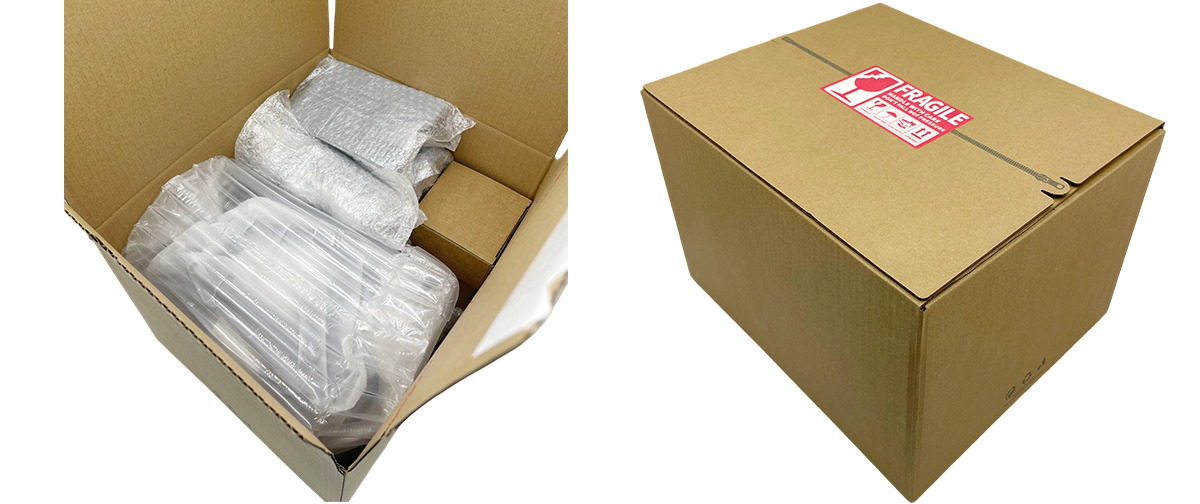
▪️Packaging
▪️Product Warranty
At MiraBot, all products are designed and quality-controlled in-house.
As a manufacturer, we stand behind the quality and reliability of our products.
If a manufacturing defect or natural failure occurs within 30 days of delivery under normal use, we will provide a free replacement or appropriate solution in accordance with our Warranty Policy.
▪️Returns & Exchanges
Due to the nature of hygiene-related products, returns are accepted only for unused items in original condition and must be requested within 7 days of delivery.
All return requests require prior approval from our support team. Items must be returned in accordance with our Return Policy and may be subject to inspection and applicable fees.
If you receive a defective or incorrect item, please contact us within 7 days of delivery. After verification, we will provide an appropriate resolution in accordance with our Refund Policy.
▪️Payment Methods
We accept major international credit and debit cards, as well as PayPal.
Payments are processed through PCI-compliant providers with industry-standard encryption to ensure your information remains safe and protected.
All transaction fees are covered by our store — you will not be charged any additional payment fees.

▪️Information Security
Our website uses SSL encrypted communication to securely protect your personal information and order history.
Your information will not be transmitted or shared in a form that can be accessed by third parties.
We do not store your credit card details.
All payment information is securely processed by the respective payment providers.
©MiraBotX All Rights Reserved 2026
Shopping Cart