MiraBot Lite
3-4 Axis Motion Interactive Robot
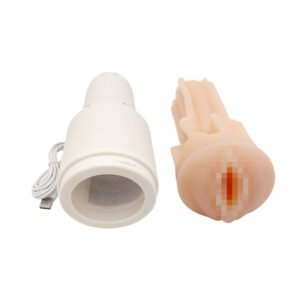
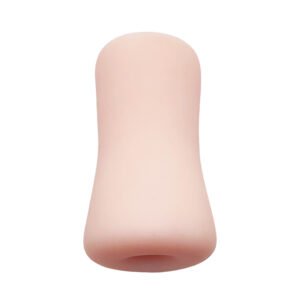
🎁Bonus Sleeve Included
Before You Order
- Ships in 2 Business Days
- Warranty & Support
- Secure Checkout
- Discreet Packaging
What is MiraBot Lite?
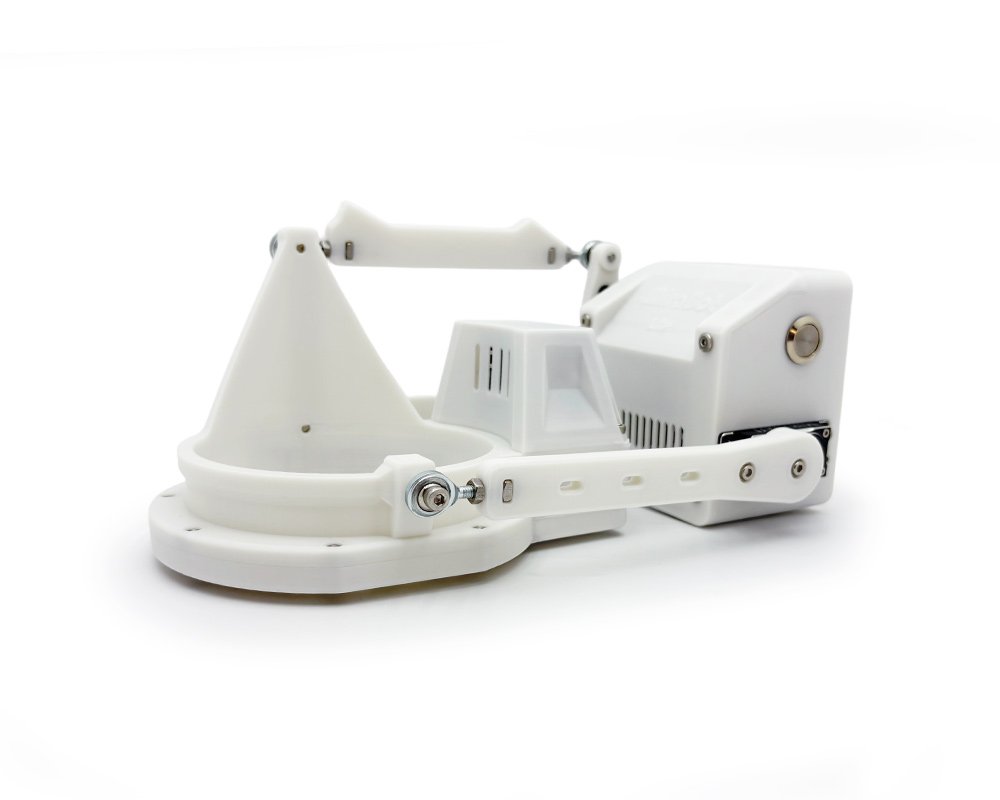
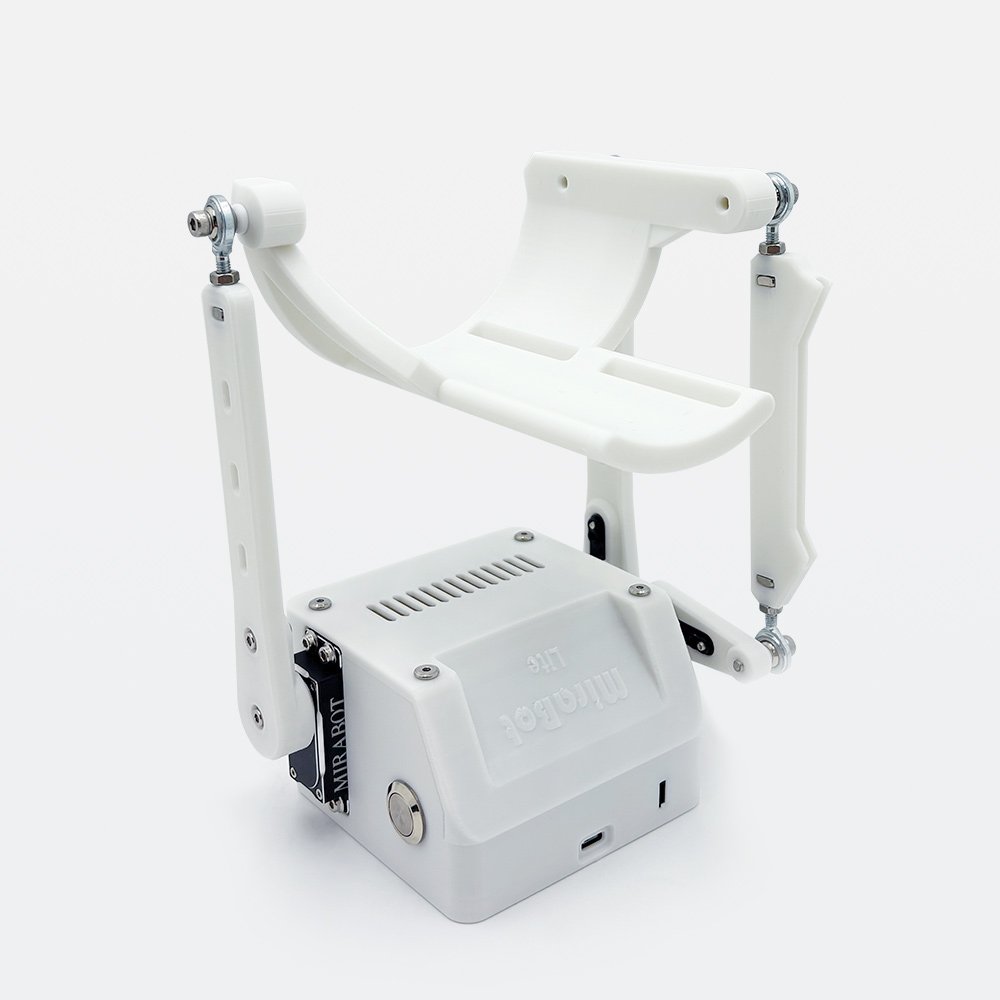
A compact multi-axis Interactive Robot designed as an easier first step into the MiraBot experience.
Powered by Stroke, Roll, Pitch, and optional Twist, MiraBot Lite goes beyond basic up/down motion with richer, more natural movement — while staying compact and easy to set up.
Paired with MiraPlay AiO, it supports smartphone-based video/VR sync, gesture control, motion recording, and remote play. Advanced users can also explore supported PC and OSR-style workflows.
New to MiraBot?
MiraBot Lite is part of the MiraBot multi-axis ecosystem. If you’re new to OSR-style devices, start with our beginner-friendly guide.
What Is MiraBot? →
Why Choose Lite?
True 4-Axis Motion
Essential multi-axis immersion, made approachable
• Core multi-axis motion covering Stroke, Roll, Pitch, and optional Twist
• Smooth, coordinated movement tuned for natural interaction
• Carefully balanced motion paths that feel immersive without being overwhelming
• Delivers true three-dimensional stimulation without unnecessary complexity
Lightweight & Quiet Hardware
Designed for comfort, portability, and everyday use
• Lightweight body suitable for handheld operation
• Compact structure for quick setup and easy storage after use
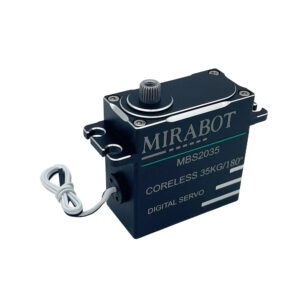
• High-torque coreless digital servos for quiet, precise motion
• Built-in stall and overheat protection for safer, worry-free use
OSR-Compatible & Easy to Maintain
Built on the OSR2+ architecture for real users
• Fully compatible with OSR software, Funscript content, and SLR platforms
• User-friendly internal layout for easier maintenance and part replacement
• Designed for long-term ownership, not disposable use
• A practical and reliable entry point into the MiraBot ecosystem
Smarter Wireless Connection
Bluetooth LE, Wi-Fi, and SLR-compatible mode in one firmware
・Switch between Bluetooth LE and Wi-Fi without reflashing firmware
・Use Bluetooth for simple app control and SLR/DeoVR connection
・Use Wi-Fi for UDP, WebSocket, and advanced OSR-compatible software
・Configure wireless mode easily in MiraPlay Web
Powered by the MiraBot Software Ecosystem
A flexible software ecosystem for mobile control, browser playback, VR workflows, and OSR-style compatibility.
• MiraPlay AiO for smartphone control
Video sync, VR playback, gesture control, motion recording, online play, and remote interaction.
• MiraPlay Web for PC and browser workflows
Local video playback, funscript sync, custom motions, and VR-headset browser use.
• OSR-compatible software workflows
Works with many funscript tools, OSR-style software, plugins, and supported game integrations.
• Regular updates and improvements
MiraBot software continues to expand with new features and compatibility.
Superior Low-Noise Design
MiraBot Lite: Perfected through relentless refinement and testing.
We’ve achieved exceptional quietness and rock-solid stability that leads its class, thanks to key innovations:
All-New Mechanism: Redesigned motion layout that reduces internal interference for smoother movement.
Optimized Chassis: Low-profile body that keeps the arms clear throughout their full range.
Quiet Twist Drive: High-precision Twist assembly that keeps internal part contact noise to a minimum.
- Ultra-Quiet Servos: Coreless servos tuned for OSR-style motion, balancing durability and quiet operation.
Noise Level (Reference)
- Low-Speed Operation: ≈ 50 dB (Quiet room level)
- High-Speed Operation: ≈ 55 dB (Normal conversation level)
*Measurement Conditions: Measured with a specialized noise meter under 400g load at a distance of 50cm from the device. Testing included Stroke/Roll/Pitch/Twist motions.
Product Features
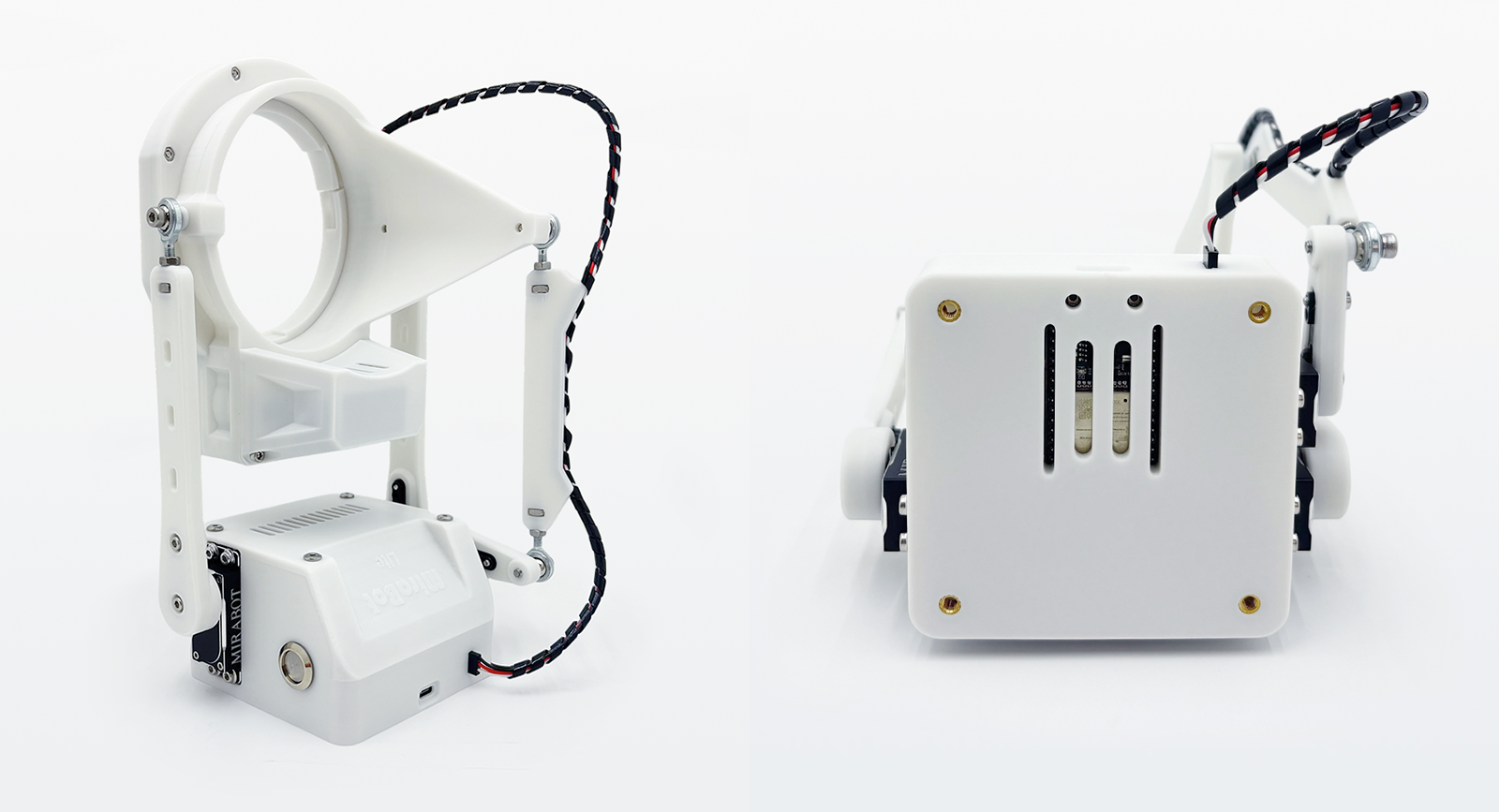
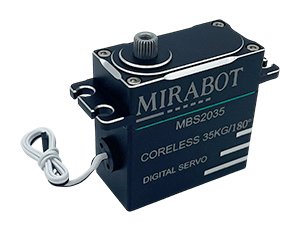
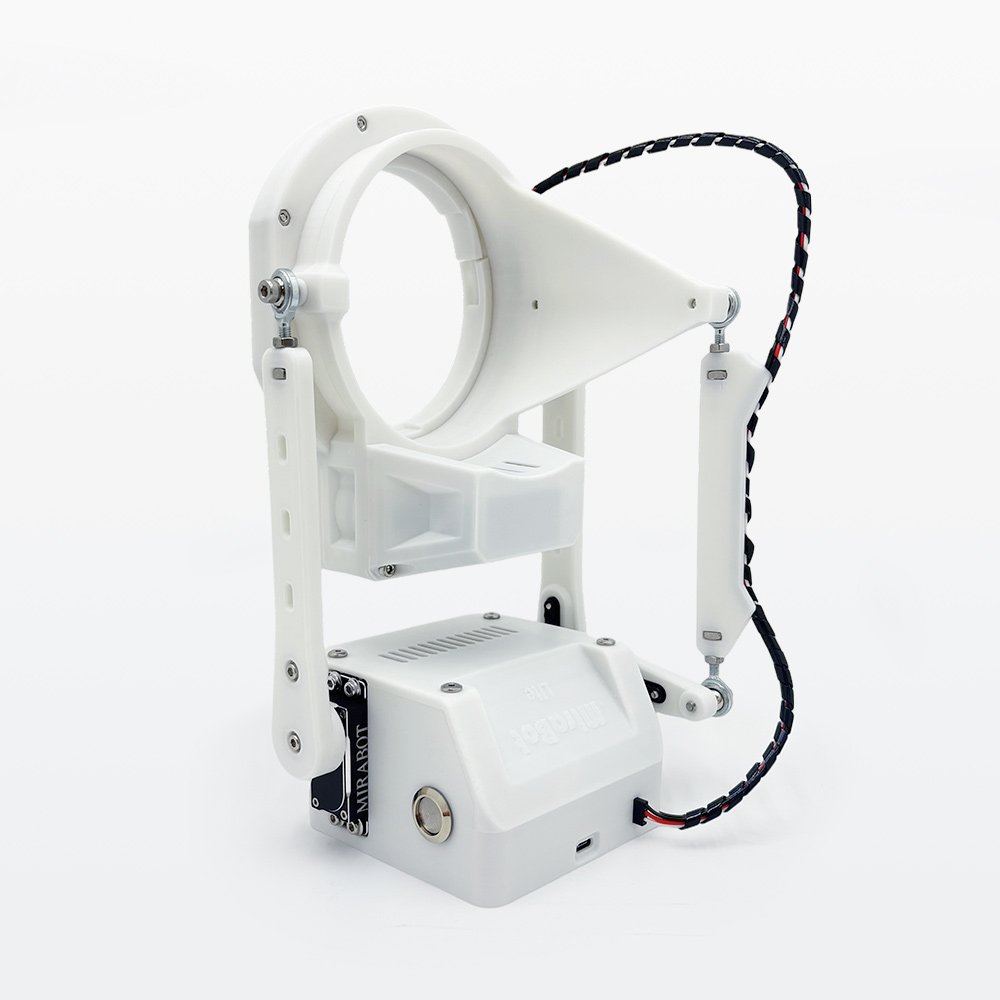
35 kg·cm 180° High-Torque
Ultra-Quiet Coreless Servo
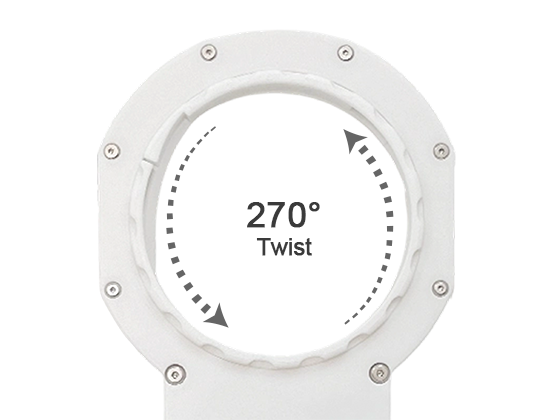
Twist: Supports up to 270°
rotation (left and right)

Power Switch
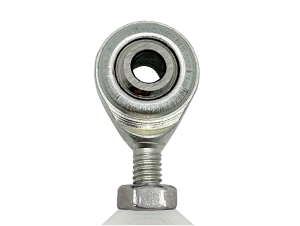
Steel Bearings
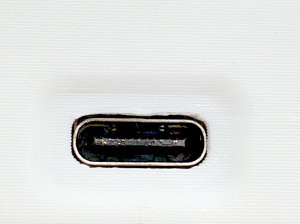
USB Type-C Port
Twist connection cable
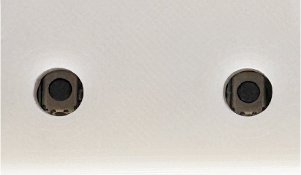
Controller Reset Button
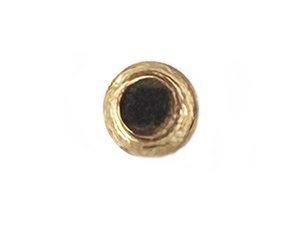
Heat-Set Insert Nut for
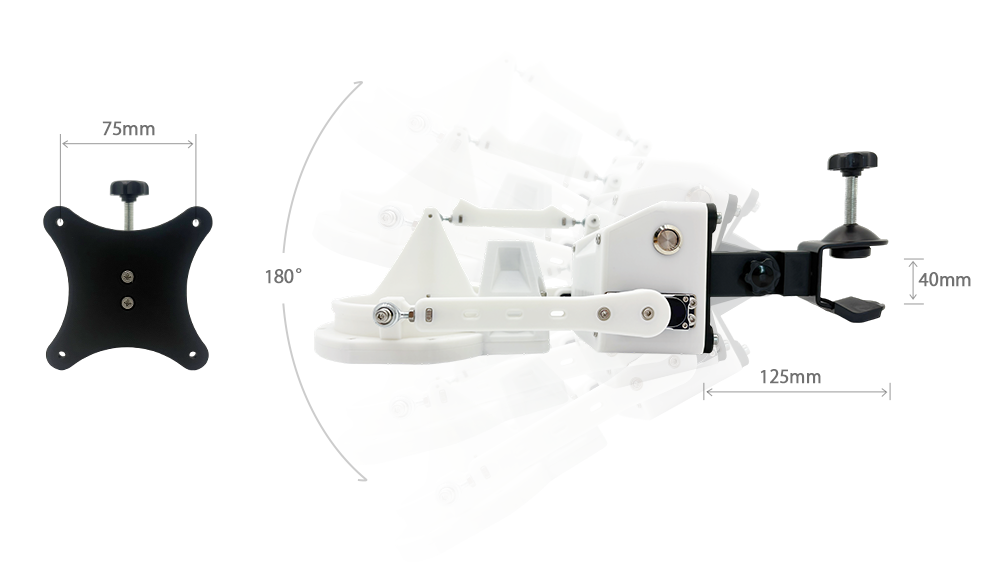
Mounting (VESA 75mm)
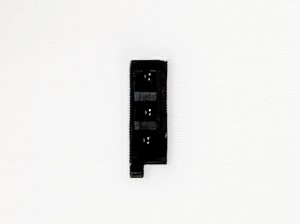
Twist connection port
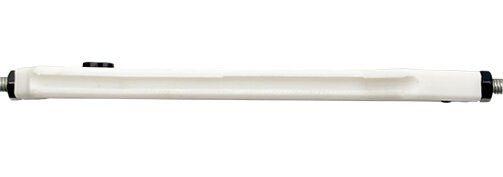
Twist cable guide
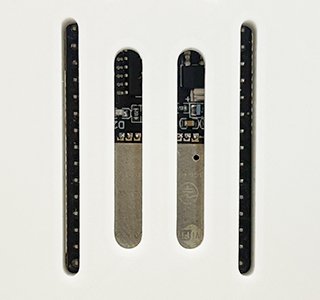
Cooling vent
Specifications
| Specification | Open Model | Twist Model |
|---|---|---|
| ▫ Material | PETG, Steel, TPE (Masturbator) | |
| ▫ Drive Unit | Coreless Servo (35Kg・180°) × 3 | Coreless Servo (35Kg・180°) × 3 Coreless Servo (35Kg・270°) × 1 (Twist) |
| ▫ Recommended Sleeve Weight (Approx.) | < 850g | < 650g (*The Twist module itself is heavier, so part of the load capacity is already used. The device’s actual structural strength is the same for both models.) |
| ▫ Degrees of Freedom | 3-Axis: Stroke (Max 120mm), Roll (Max 30°), Pitch (Max 30°) | 4-Axis: Stroke (Max 120mm), Roll (Max 30°), Pitch (Max 30°), Twist (Max 270° Rotation) |
| ▫ Weight | Approx. 650g (excluding power & accessories) | Approx. 800g (excluding power & accessories) |
| ▫ Size | 195mm × 155mm × 125mm | 255mm × 155mm × 115mm |
| ▫ Connection | Bluetooth LE / Wi-Fi, USB Type-C (PC) | |
| ▫ Power Adapter | Input: AC 100–240V 50/60Hz Output: DC 6V/6A | |
*Plug Type by Region

Type A – Japan
Type B – USA, Canada
Type F – EU countries, South Korea
Type G – UK, Singapore, Hong Kong
- Type I – Australia, New Zealand
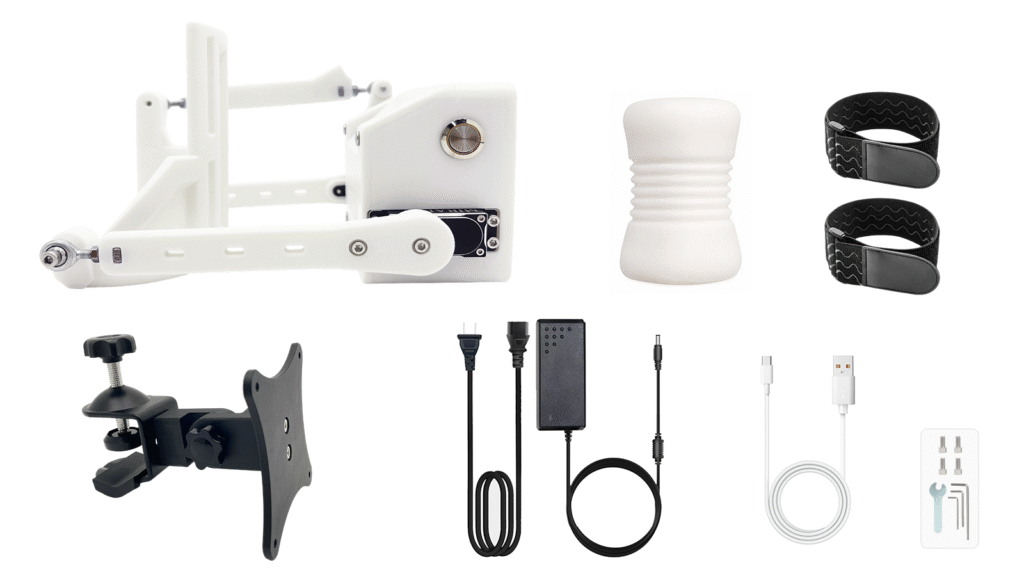
Included Items
Open Model
Set Contents:
- MiraBot Lite (with Open Receiver)
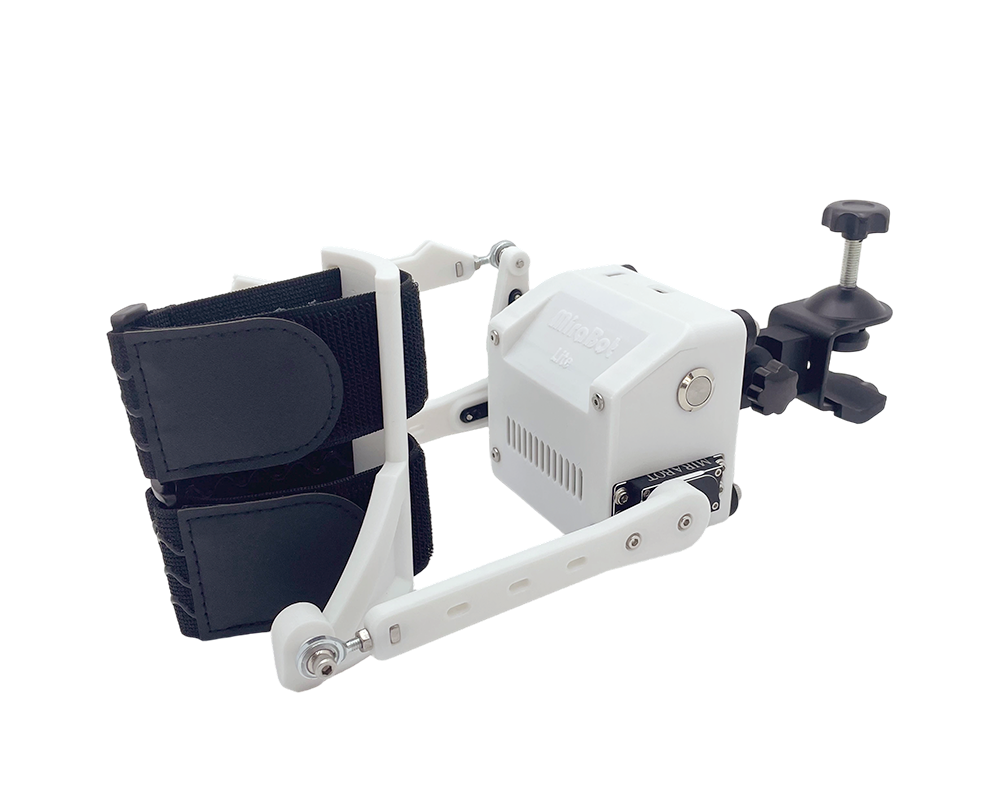
- Adjustable Desk Mount
- Power adapter
- USB cable
- Tool Kit
- Bonus – Dual-Entry Open-Ended Sleeve
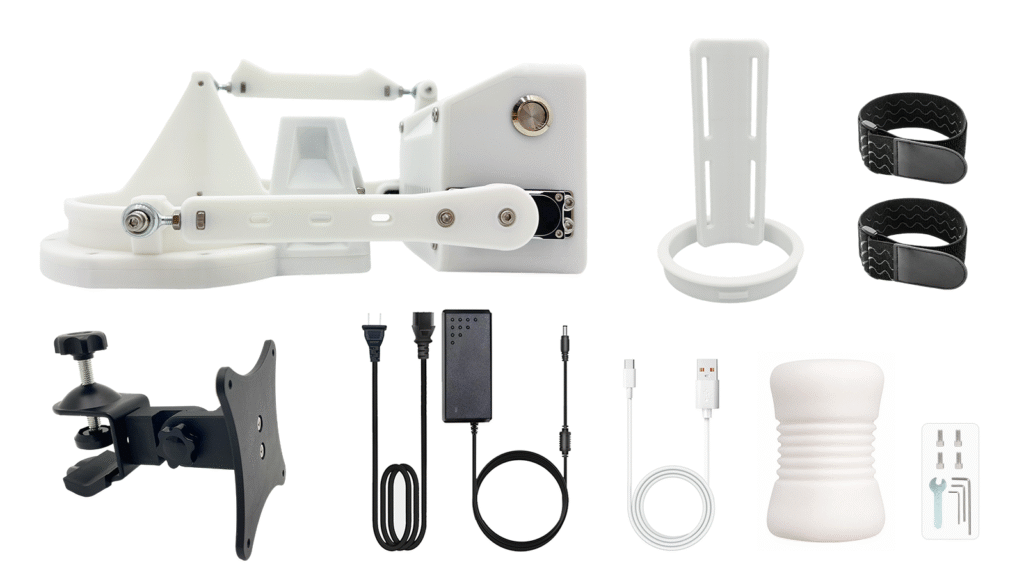
Twist Model
Set Contents:
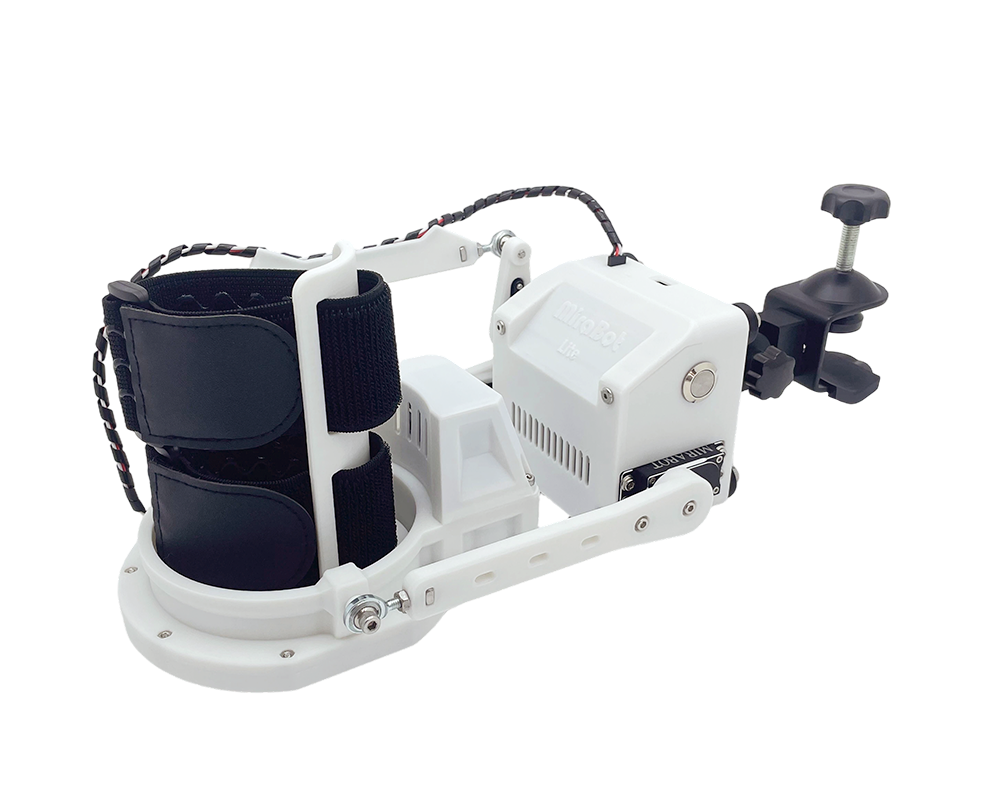
- MiraBot Lite (with Twist Module)
- Open Receiver for Twist
- Adjustable Desk Mount
- Power adapter
- USB cable
- Tool Kit
- Bonus – Dual-Entry Open-Ended Sleeve
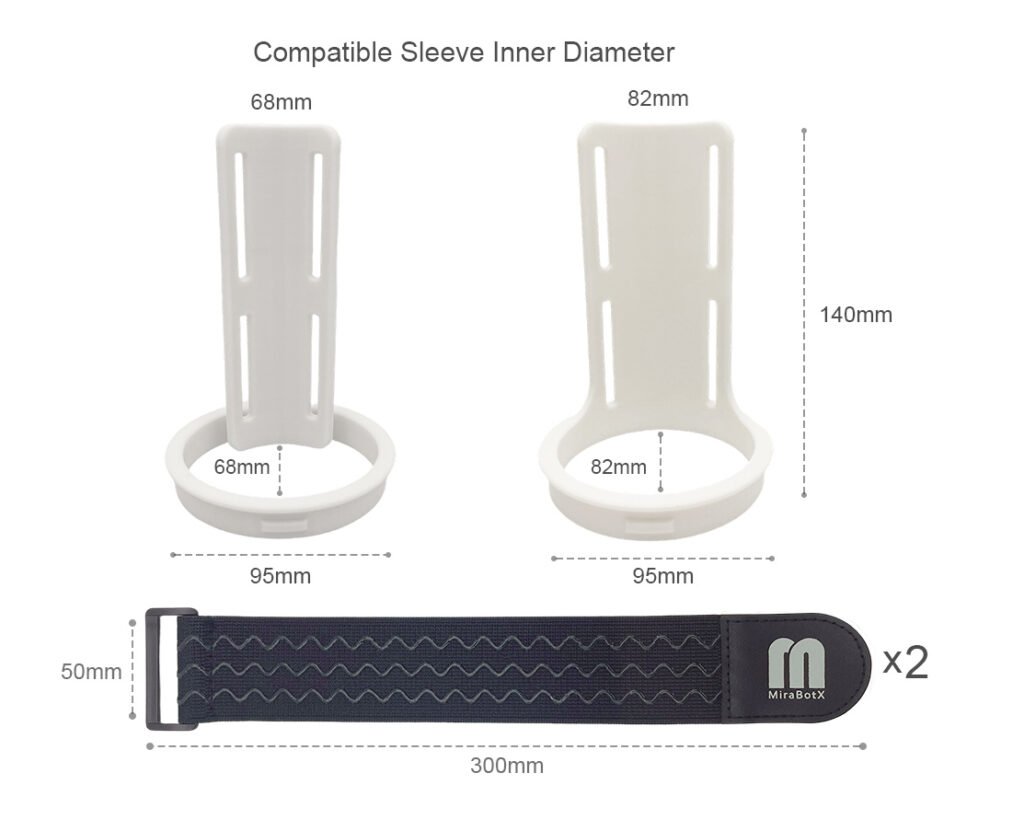
*Note: The Open Receiver for Twist has a default inner diameter of 68 mm. If you require the 82 mm version, please specify this in the order notes at checkout.
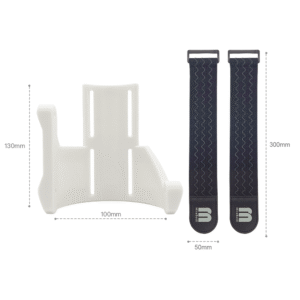
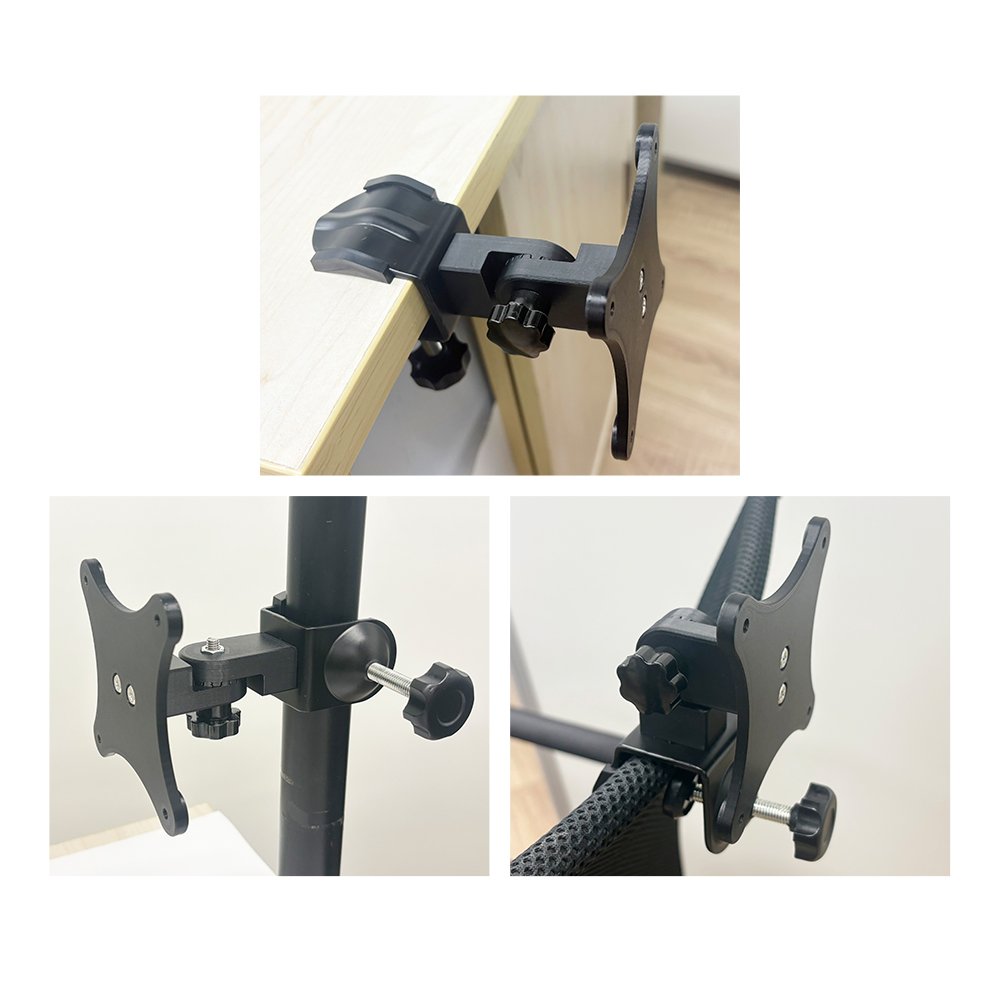
❚ Dedicated Desk Mount
The 180° adjustable desk mount lets you freely set the perfect angle.
❚ Open Receiver for Twist
Compatible with most standard soft sleeves and available in 68 mm or 82 mm, the Open Receiver for Twist helps you achieve a better fit for different sleeve sizes.
68 mm is included by default. If you prefer 82 mm, please leave a note with your order.
Model Comparison
MiraBot Lite vs MiraBot S6
Compare the main differences between MiraBot Lite and MiraBot S6, including motion axes, servo motors, sleeve weight, connection options, software ecosystem, and expansion modules.
| Comparison | ||
|---|---|---|
| Motion & Structure | ||
| Motion Axes | Open Model: Stroke, Roll, Pitch Twist Model: Stroke, Roll, Pitch, Twist | Open Model: Stroke, Roll, Pitch, Sway, Surge Twist Model: Stroke, Roll, Pitch, Sway, Surge,Twist |
| Number of Servo Motors | Open Model: 3 Twist Model: 4 | Open Model: 6 Twist Model: 7 |
| Recommended Sleeve Weight | Open Model: under 850 g Twist Model: under 650 g | Open Model: under 1,100 g Twist Model: under 850 g |
| Connection & Software | ||
| Wired Connection | USB Type-C wired connection for PC workflows. | |
| Wireless Connection | Supports Bluetooth LE and Wi-Fi connectivity. | |
| Software Ecosystem | MiraPlay AiO MiraPlay Web OSR-Compatible Software Both models share the same MiraBot software ecosystem. MiraBot S6 offers more motion axes and expansion modules for advanced multi-axis playback, while MiraBot Lite provides a simpler, compact entry into the same ecosystem. | |
| Expansion & Accessories | ||
| Expansion Modules | Twist Module Designed for a simpler, compact setup with fewer expansion modules. | Twist Module T-Valve MiraLube T-Valve and MiraLube are included with selected Full Set configurations. |
| Best For | Users who want a compact, beginner-friendly MiraBot model for easier setup and everyday use. | Users who want fuller multi-axis motion, stronger expansion options, and the most complete MiraBot experience. |
About sleeve weight: The recommended sleeve weight is a practical guideline for stable motion performance. Actual results may vary depending on sleeve shape, mounting balance, motion speed, stroke range, and usage conditions. The Twist Model has a lower recommended sleeve weight because the Twist module itself adds additional load.
Choose MiraBot Lite if...
You want a compact, easier-to-start model for MiraPlay, video sync, and basic OSR-style motion.
Choose MiraBot S6 if...
You want fuller multi-axis motion, better expandability, and the most immersive MiraBot setup.
❚ FAQ
What’s the difference between MiraBot and OSR?
MiraBot is a ready-to-use interactive motion system developed with reference to OSR-style multi-axis motion technology.
Compared with typical DIY OSR builds, MiraBot focuses on improved stability, safety, appearance, internal structure, and ease of use.
To make the experience easier for beginners, we also provide dedicated software such as MiraPlay AiO and MiraPlay Web, along with official MiraBot firmware.
Depending on the app version, firmware, and device setup, you can use features such as VR video synchronization, gesture control, motion recording, custom motion playback, and selected online / remote play workflows.
Can OSR-compatible software also be used with MiraBot?
MiraBot is designed to support common OSR / T-Code-compatible workflows, so many OSR-compatible tools and platforms can be used with MiraBot.
This includes workflows involving tools or platforms such as MultiFunPlayer, Virt-a-Mate, SLR, FapTap, and other T-Code / OSR-compatible environments.
However, actual compatibility may vary depending on the software, plugin version, firmware version, connection method, and user configuration.
Some third-party software may also be designed for specific devices, custom firmware, or particular connection methods. We recommend checking the software requirements before use.
I heard MiraBot Lite is the same 3-axis robot as OSR2+. Are they compatible?
MiraBot Lite is developed with reference to OSR2+-style 3-axis motion and is designed to work with many OSR2+ / T-Code-compatible workflows.
It has been redesigned to be more compact and easier to handle, while reducing mechanical interference found in some traditional DIY-style structures.
As a result, it offers improved stability, quieter operation, and a smoother user experience compared with typical DIY builds.
Please note that actual compatibility may vary depending on the software, firmware, connection method, and configuration.
Can third-party firmware be installed on MiraBot Lite?
No. MiraBot Lite uses official MiraBot firmware developed for its hardware and connection environment.
Installing third-party or unsupported firmware may cause malfunction, connection failure, or device damage.
Please use MiraBot Lite with the standard official firmware unless otherwise instructed by our support team.
Which one should I choose: MiraBot Lite or MiraBot S6?
The best option depends on how you plan to use it.
MiraBot Lite: Compact, beginner-friendly, and easy to start with. It is suitable for first-time MiraBot / OSR-style device users or those who want a simpler setup that does not take up much space.
MiraBot S6: A higher-end model designed for more advanced multi-axis motion, greater expandability, and a more complete experience.
If you are new to this type of device, MiraBot Lite is a good starting point. If you want more advanced motion and expansion options, MiraBot S6 is the better choice.
Can beginners who have never used OSR also use MiraBot Lite?
Yes. MiraBot Lite is designed to be easier to start with than typical DIY OSR builds.
Instead of requiring users to build, wire, flash, and configure everything from scratch, MiraBot Lite is provided as a ready-to-use device with official software and firmware support.
For beginners, we recommend starting with MiraPlay AiO or MiraPlay Web, then exploring third-party OSR-compatible tools as needed.
We also provide user guides and setup resources to help first-time users get started with more confidence.
What should I do if the product I received is defective?
If the product you received has a problem, please contact our support team through the Contact Us Form as soon as possible.
Please provide your order number, the email address used for the order, and a brief description of the issue. Photos or videos are also helpful when available.
For eligible MiraBot products used under normal conditions, warranty support may be available for up to 30 days from delivery.
Depending on the nature of the issue and the verification results, we may provide troubleshooting support, replacement parts, or product replacement as appropriate.
For full details, please refer to our Refund Policy and Warranty Policy.
How long can MiraBot Lite be used?
The usable life of MiraBot Lite depends on usage conditions, motion settings, load, maintenance, and overall frequency of use.
Certain high-load mechanical components, such as drive-related parts, may wear over time depending on how the device is used.
To help maintain stable performance, we recommend avoiding excessive load, using reasonable motion settings, and following the official setup and maintenance guidance.
If a component issue occurs after the warranty period, please still feel free to contact us. We may be able to provide troubleshooting guidance, replacement parts, or paid repair / replacement options depending on the situation.
Related Products
MiraBot High-Torque, Ultra-Silent Coreless Servo Motor | 35kg ・180°/270°
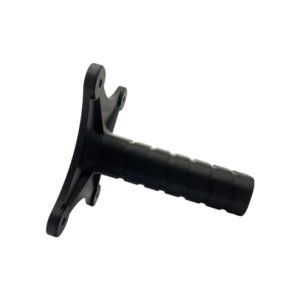
$39.00 – $39.90Price range: $39.00 through $39.90MiraBot Lite Grip Handle
$15.00