
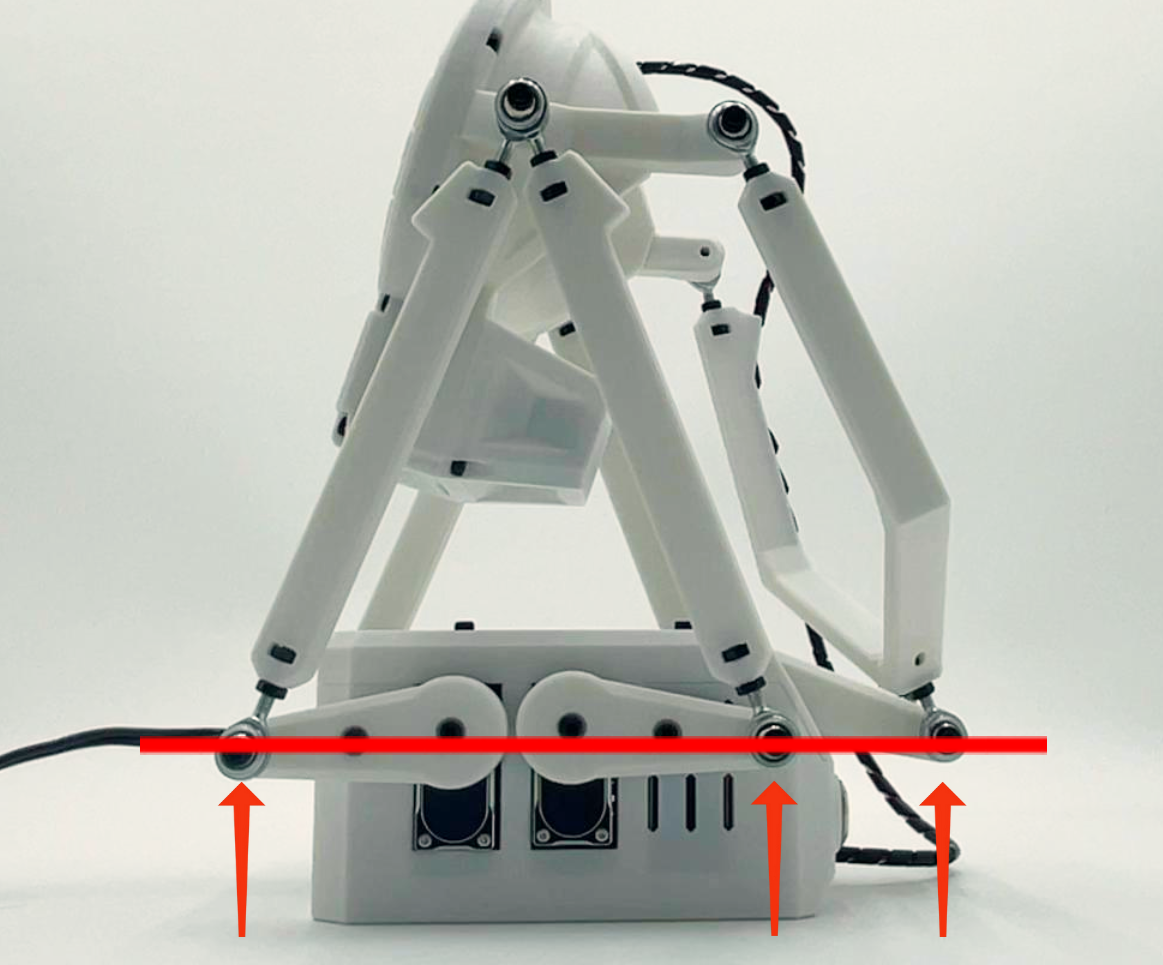
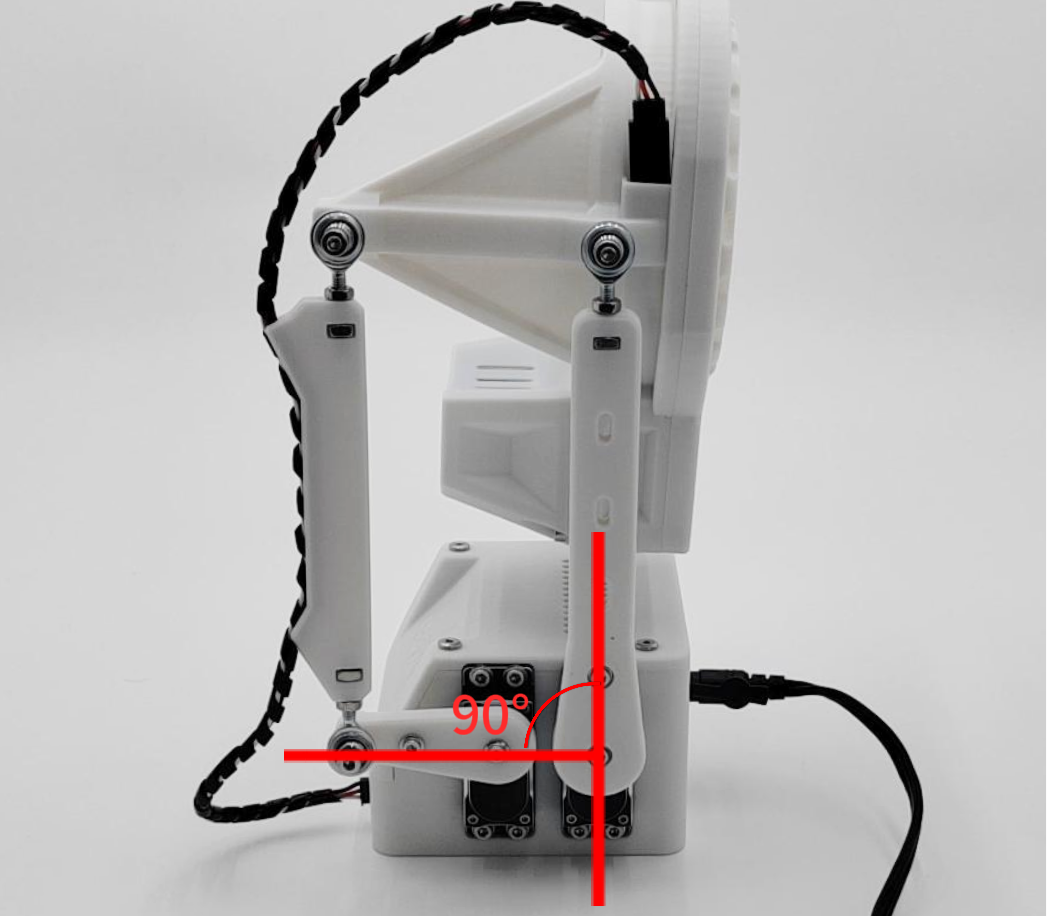
After your MiraBot is powered on, the robotic arms should move to and hold their default initial position.
In some cases, you may notice that one or more arms are slightly misaligned after power-on. This can happen after shipping, long-term use, accessory replacement, servo replacement, or other normal handling.
If the device can still connect normally and the motion works as expected, a slight initial position offset can usually be corrected through arm position calibration.
When Should You Use Position Calibration?
You can use position calibration if:
- One arm is slightly higher or lower than the other after power-on
- The arms are not perfectly level in the initial position
- The device moves normally, but the starting position looks slightly off
- The offset appeared after shipping, long-term use, or replacing an accessory or servo
If the device cannot connect, does not move at all, shakes strongly, makes abnormal noise, or shows other unusual behavior, please check the related troubleshooting guides first.
How to Calibrate the Arm Position
Please refer to the calibration video for your device model on our website:
Support → User Guide
You can also use the direct video links below:
MiraBot S6
MiraBot S6 Arm Position Calibration
MiraBot Lite
MiraBot Lite Arm Position Calibration
Please follow the video carefully and make sure the device is in its normal power-on initial state before adjusting the arm position.
After Calibration
After completing the calibration, restart the device and check whether the arms return to the corrected initial position.
A small difference may still be normal, but the arms should be generally aligned and should not affect normal motion.
If the Problem Continues
If there is still a clear position difference after calibration, or if the device also has other issues such as abnormal movement, shaking, noise, overheating, or connection failure, please refer to the other troubleshooting articles or submit a Support Request.
When contacting us, please include the following information if possible:
- Your order number
- Device model
- A short description of the issue
- Photos showing the arm position after power-on
- A short video showing the device startup and movement
This information will help us understand the issue more quickly and provide the correct support.